

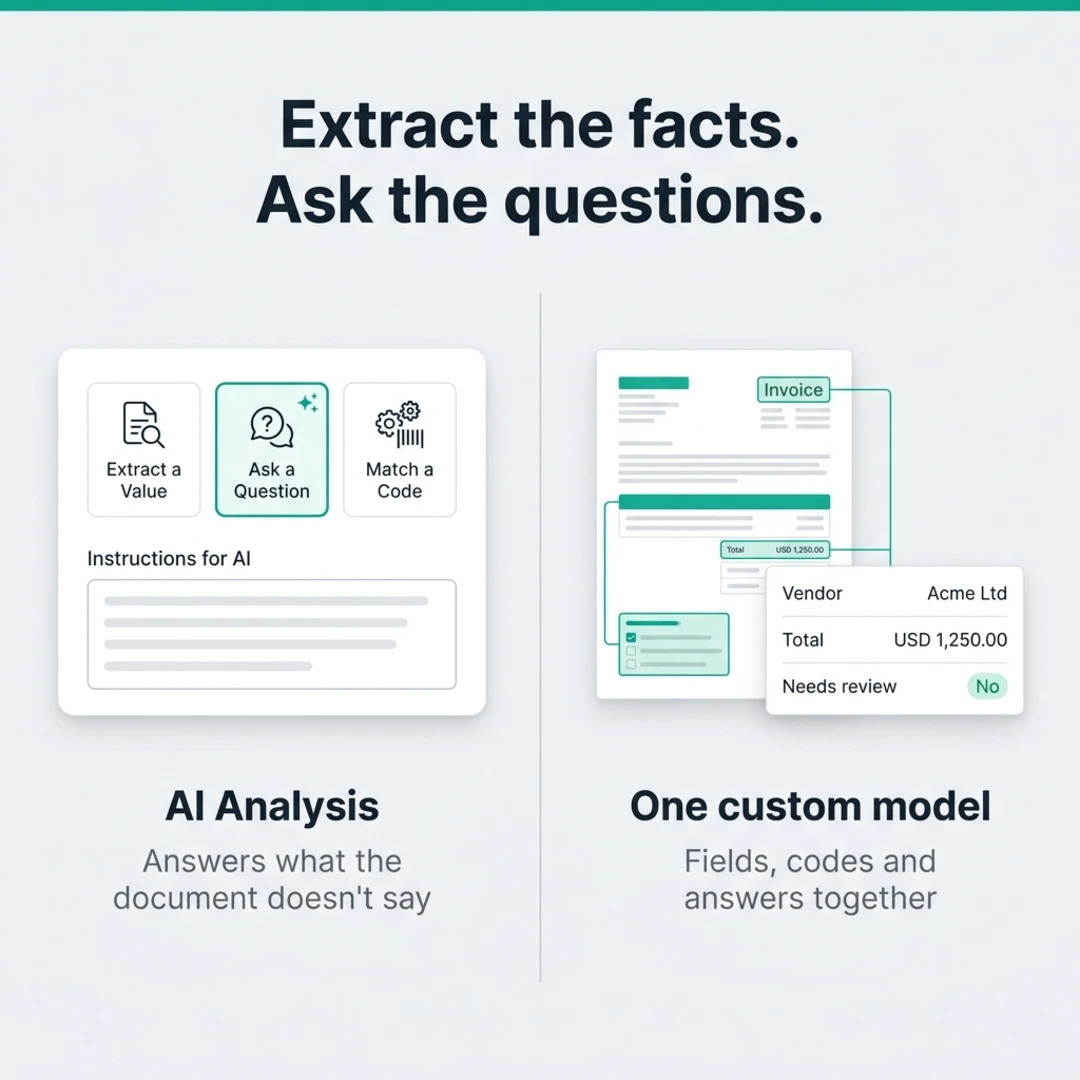
This release brings AI Analysis to custom models, so a single model can extract values, match them to your codes, and answer questions about the document. We’ve also made Accuracy Center easier to use for Traditional Chinese teams and for reviewing production samples.
Ask questions the document doesn’t answer directly
Extraction works when the value is printed on the page: a vendor name, a total, a date. But many of the decisions that come next aren’t written anywhere. Is this contract a lease or a service agreement? Does this business plan meet our criteria? Should someone check this invoice before it’s paid?
Until now, those calls usually happened outside FormX, in a separate prompt or script that had to be kept in step with your extraction fields.
Custom models now have a third way to set up a field. Alongside Extract a Value and Match a Code, you can choose Ask a Question. Write your instructions for the AI in plain language, then list the sub-fields you want back, such as a classification, a yes/no flag, or a short summary. Answers can come back as single values or as a nested group.
Because the analysis lives in the same custom model, it runs on the same documents and comes back in the same result as your extracted fields and matched codes. You test it in Test Extractor with everything else, and when your schema changes there’s only one place to update.
We’ve also tidied up the field editor. Document extraction and code mapping use clearer labels, and adding a field takes fewer steps.
Review production samples in context
Two Accuracy Center updates make it quicker to check how a model performs on real documents:
- Traditional Chinese. Switch language from the menu. When you open Accuracy Center from the FormX Portal, it follows your Portal language without a full reload.
- Bounding boxes on production samples. On production samples, run Detect to see each extracted field highlighted on the document, then click a field to jump straight to it.
Want help setting up AI Analysis on your documents? Reach out through the FormX portal or contact your account manager.

